FCKEditor插件实现Word图片转存服务器路径优化
👨💻 Word图片一键转存功能开发日记
🔍 寻找解决方案的漫漫长路
作为一个即将毕业的吉林软件工程专业大三学生,我最近在给我的CMS新闻管理系统添加一个超实用的功能 - Word文档一键粘贴并自动上传图片!这简直是内容编辑的福音啊~
需求分析
- 核心功能:Word内容粘贴保留所有样式(表格、字体、公式等)
- 图片处理:自动上传到阿里云OSS
- 公式支持:LaTeX转MathML,多终端高清显示
- 文件导入:支持Word/Excel/PPT/PDF
- 跨平台:Win/macOS/Linux全支持
- 预算:最好免费,最多99元软妹币
技术调研
经过三天三夜的Google、GitHub和Stack Overflow漫游,我发现了几种可能的解决方案:
- TinyMCE + PowerPaste插件:功能强大但收费(超预算了😭)
- CKEditor + PasteFromOffice插件:免费但样式保留有限
- UEditor(百度编辑器):国产,对Word支持不错
- WangEditor + 自定义插件:轻量但需要自己开发
最终选择:CKEditor 5 + 自定义适配
考虑到我们已经在用FCKEditor(CKEditor的古老版本),决定升级到CKEditor 5并使用其PasteFromOffice插件作为基础,再自行开发图片上传和公式转换功能。
💻 开发实战
前端部分 (Vue 2)
// 在main.js中引入CKEditor
import CKEditor from '@ckeditor/ckeditor5-vue2';
import ClassicEditor from '@ckeditor/ckeditor5-build-classic';

Vue.use(CKEditor);

// 组件中使用


export default {
  data() {
    return {
      editor: ClassicEditor,
      editorData: '',
      editorConfig: {
        pasteFromOffice: {
          styles: true,
          tables: true,
          images: true
        },
        extraPlugins: [uploadImagePlugin]
      }
    }
  },
  methods: {
    onEditorReady(editor) {
      // 监听粘贴事件
      editor.plugins.get('Clipboard').on('inputTransformation', (evt, data) => {
        this.handlePaste(data.content);
      });
    },
    async handlePaste(content) {
      // 提取图片并上传
      const images = this.extractImages(content);
      for (const img of images) {
        const ossUrl = await this.uploadToOSS(img);
        content = content.replace(img.src, ossUrl);
      }

      // 处理公式
      content = this.convertLatexToMathML(content);

      return content;
    }
  }
}
后端部分 (PHP)
uploadFile(getenv('OSS_BUCKET'), $object, $file['tmp_name']);

        $signedUrl = $ossClient->signUrl(getenv('OSS_BUCKET'), $object, 3600);
        echo json_encode(['url' => $signedUrl]);
    } catch (OssException $e) {
        http_response_code(500);
        echo json_encode(['error' => $e->getMessage()]);
    }
}

// LaTeX转MathML
function latexToMathML($latex) {
    $mathML = shell_exec("tex2mathml --display=block " . escapeshellarg($latex));
    return $mathML ?: '公式转换失败';
}
?>
部署到阿里云ECS
- 安装必要的依赖:
sudo apt-get install -y texlive texlive-math-extra
npm install @ckeditor/ckeditor5-vue2 @ckeditor/ckeditor5-build-classic
- 配置Nginx反向代理:
server {
    listen 80;
    server_name yourdomain.com;

    location / {
        root /var/www/html/dist;
        try_files $uri $uri/ /index.html;
    }

    location /api/ {
        proxy_pass http://localhost:8000/;
        proxy_set_header Host $host;
    }
}
🎉 效果展示
功能终于完成了!现在可以:
- 直接从Word复制内容粘贴到编辑器
- 图片自动上传到OSS
- 公式完美显示
- 表格、样式完全保留
🤝 寻求合作
各位大佬们,我在QQ群223813913等你来交流:
- 新人加群送1~99元红包(真的发!)
- 分享技术、开源项目
- 项目合作机会
- 工作内推资源
特别推荐我们的"躺赚计划":
- 推荐客户成交拿20%提成
- 1000元单子轻松赚200
- 月入2000不是梦(比写代码轻松多了😂)
作为快要毕业的软件工程学生,我深刻理解找工作的压力。如果你有内推机会或者想一起做项目,欢迎加群交流!我们互相帮助,共同成长~
🔮 未来计划
- 升级到Vue 3
- 支持Excel/PPT/PDF导入
- 开发移动端适配
- 优化公式渲染性能
如果有大佬愿意指导或者合作,小弟感激不尽!让我们一起打造更好的CMS系统吧!
后记:经过这个项目,我学会了如何在有限预算下解决问题,也深刻体会到"开发一时爽,调试火葬场"的真谛。但看到功能最终实现的那一刻,所有的熬夜都值得了! 💪
复制插件目录
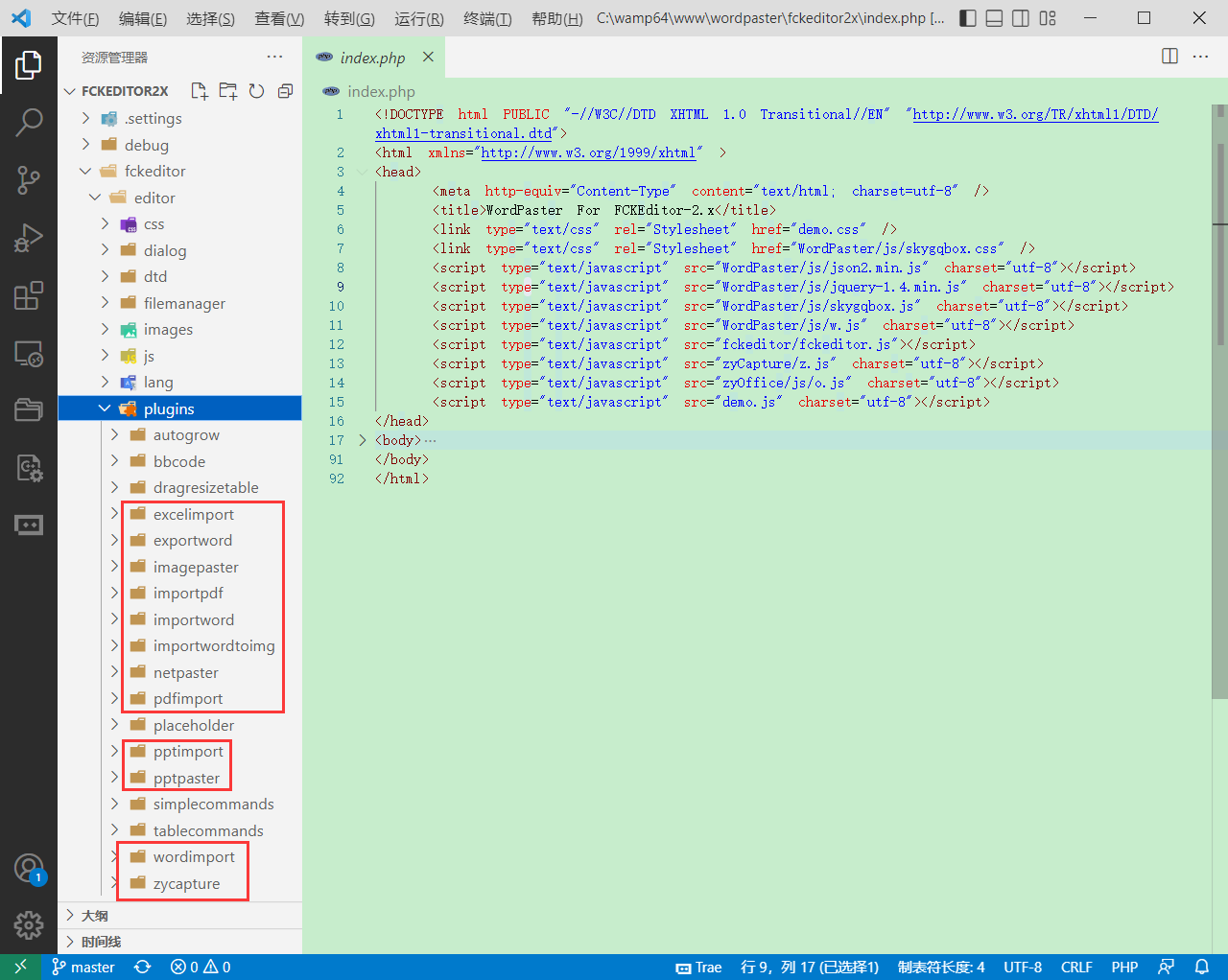
复制WordPaster插件
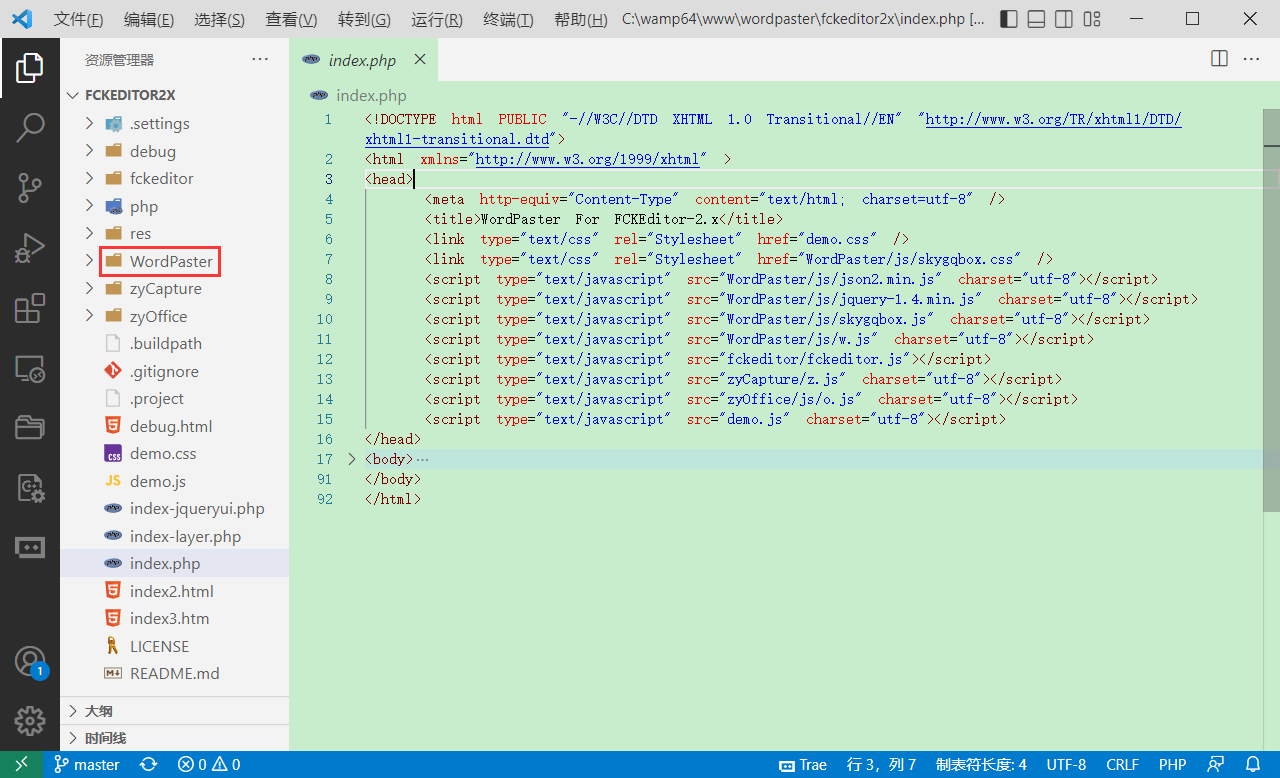
添加式具栏按钮

FCKConfig.ToolbarSets["Default"] = [
	['Source','DocProps','-','Save','NewPage','Preview','-','Templates'],
	['Cut','Copy','Paste','PasteText'],
	['zycapture'],
	['imagepaster','importwordtoimg','netpaster','wordimport','excelimport','pptimport','pdfimport'],
	['importword','exportword','importpdf'],
	['Undo','Redo','-','Find','Replace','-','SelectAll','RemoveFormat'],
	['Form','Checkbox','Radio','TextField','Textarea','Select','Button','ImageButton','HiddenField'],
	'/',
	['Bold','Italic','Underline','StrikeThrough','-','Subscript','Superscript'],
	['OrderedList','UnorderedList','-','Outdent','Indent','Blockquote','CreateDiv'],
	['JustifyLeft','JustifyCenter','JustifyRight','JustifyFull'],
	['Link','Unlink','Anchor'],
	['Image','Flash','Table','Rule','Smiley','SpecialChar','PageBreak'],
	'/',
	['Style','FontFormat','FontName','FontSize'],
	['TextColor','BGColor'],
	['FitWindow', 'ShowBlocks', '-', 'About'], 	// No comma for the last row.
];
添加编辑器插件
在工具栏中添加插件按钮
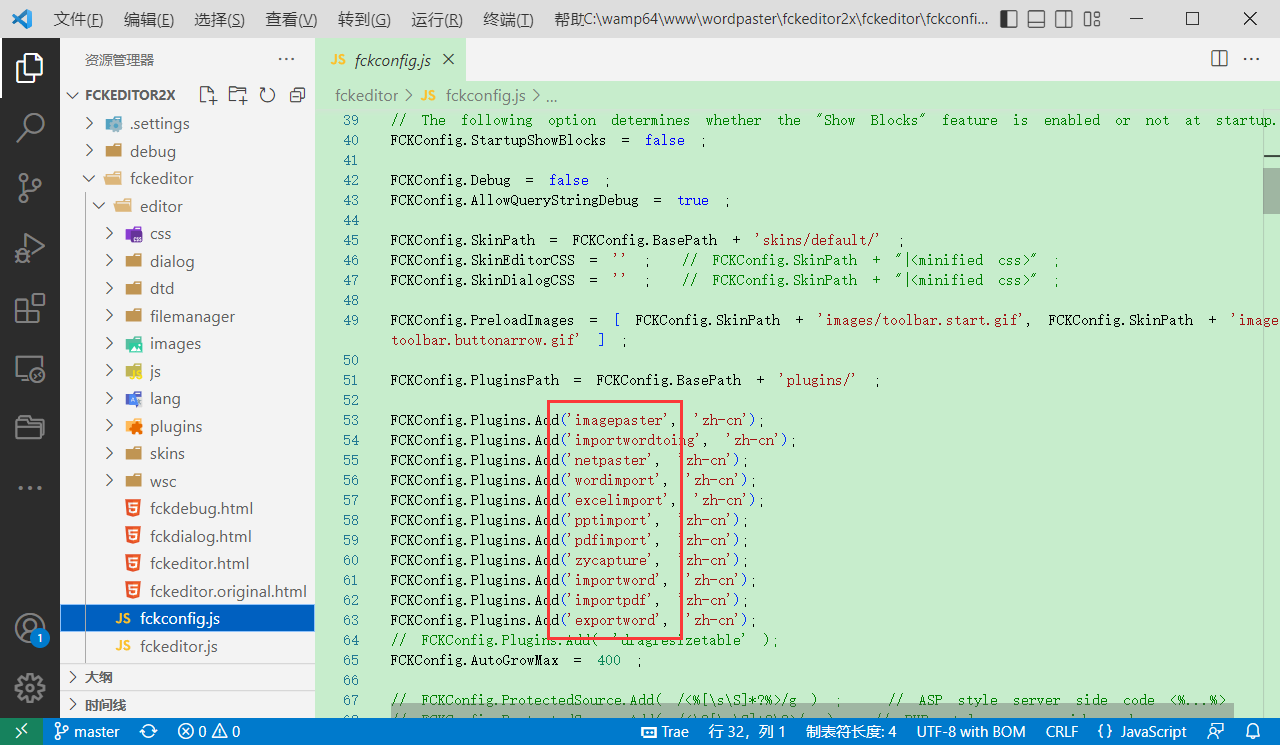
FCKConfig.Plugins.Add('imagepaster', 'zh-cn');
FCKConfig.Plugins.Add('importwordtoimg', 'zh-cn');
FCKConfig.Plugins.Add('netpaster', 'zh-cn');
FCKConfig.Plugins.Add('wordimport', 'zh-cn');
FCKConfig.Plugins.Add('excelimport', 'zh-cn');
FCKConfig.Plugins.Add('pptimport', 'zh-cn');
FCKConfig.Plugins.Add('pdfimport', 'zh-cn');
FCKConfig.Plugins.Add('zycapture', 'zh-cn');
FCKConfig.Plugins.Add('importword', 'zh-cn');
FCKConfig.Plugins.Add('importpdf', 'zh-cn');
FCKConfig.Plugins.Add('exportword', 'zh-cn');
效果
编辑器
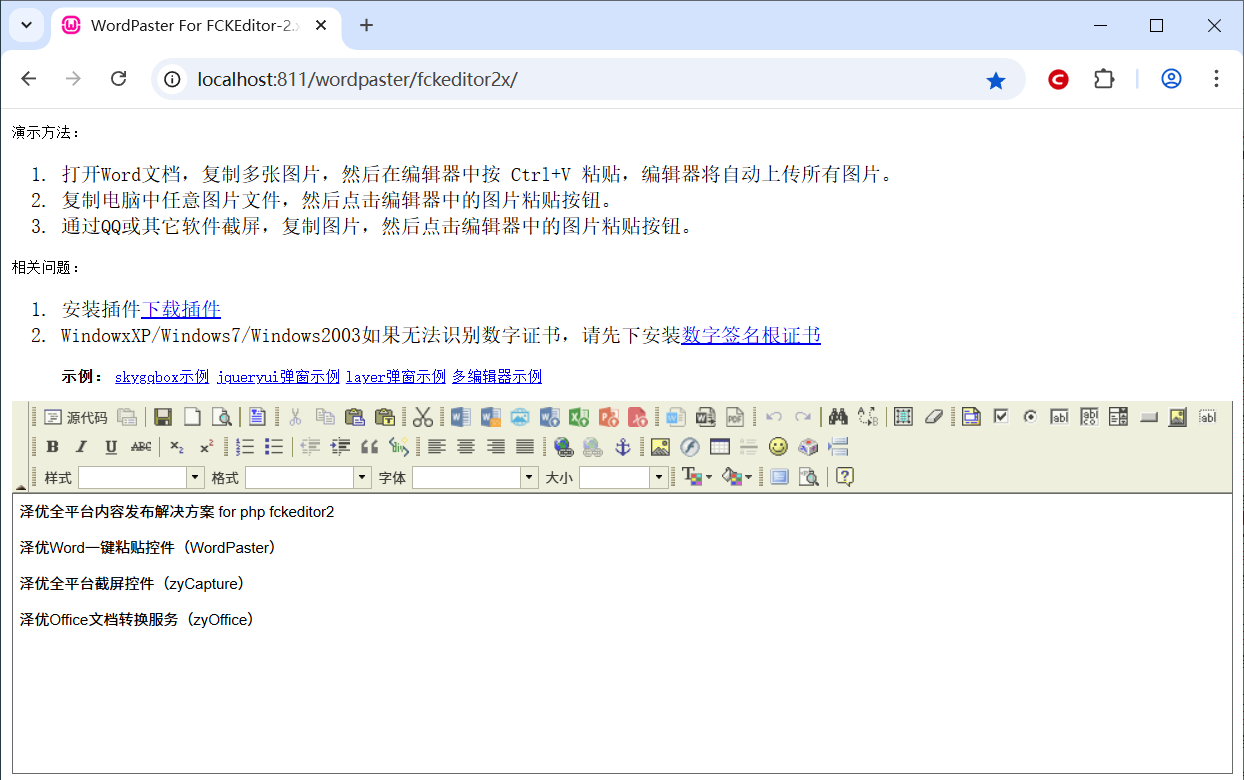
导入Word文档,支持doc,docx
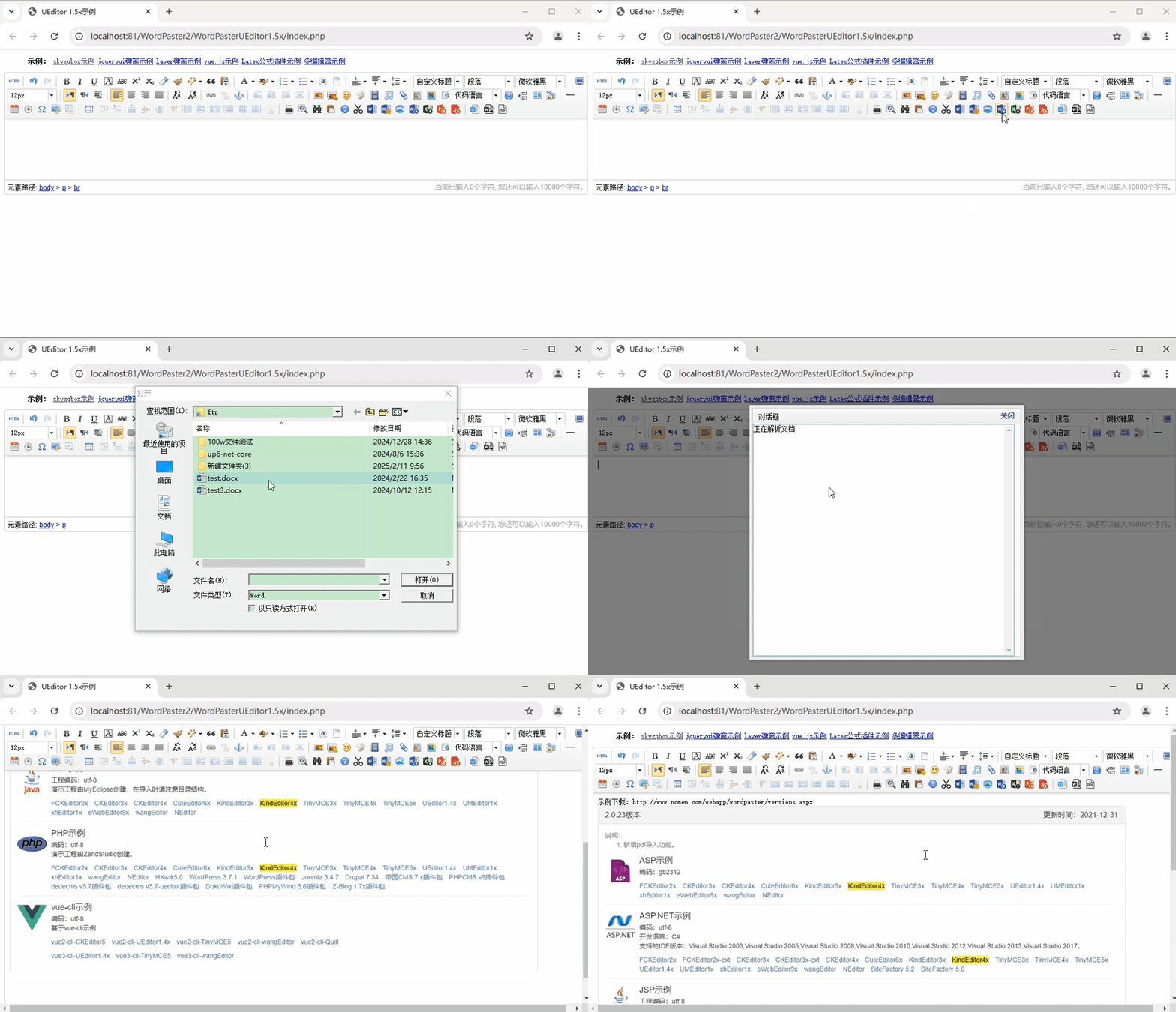
导入Excel文档,支持xls,xlsx

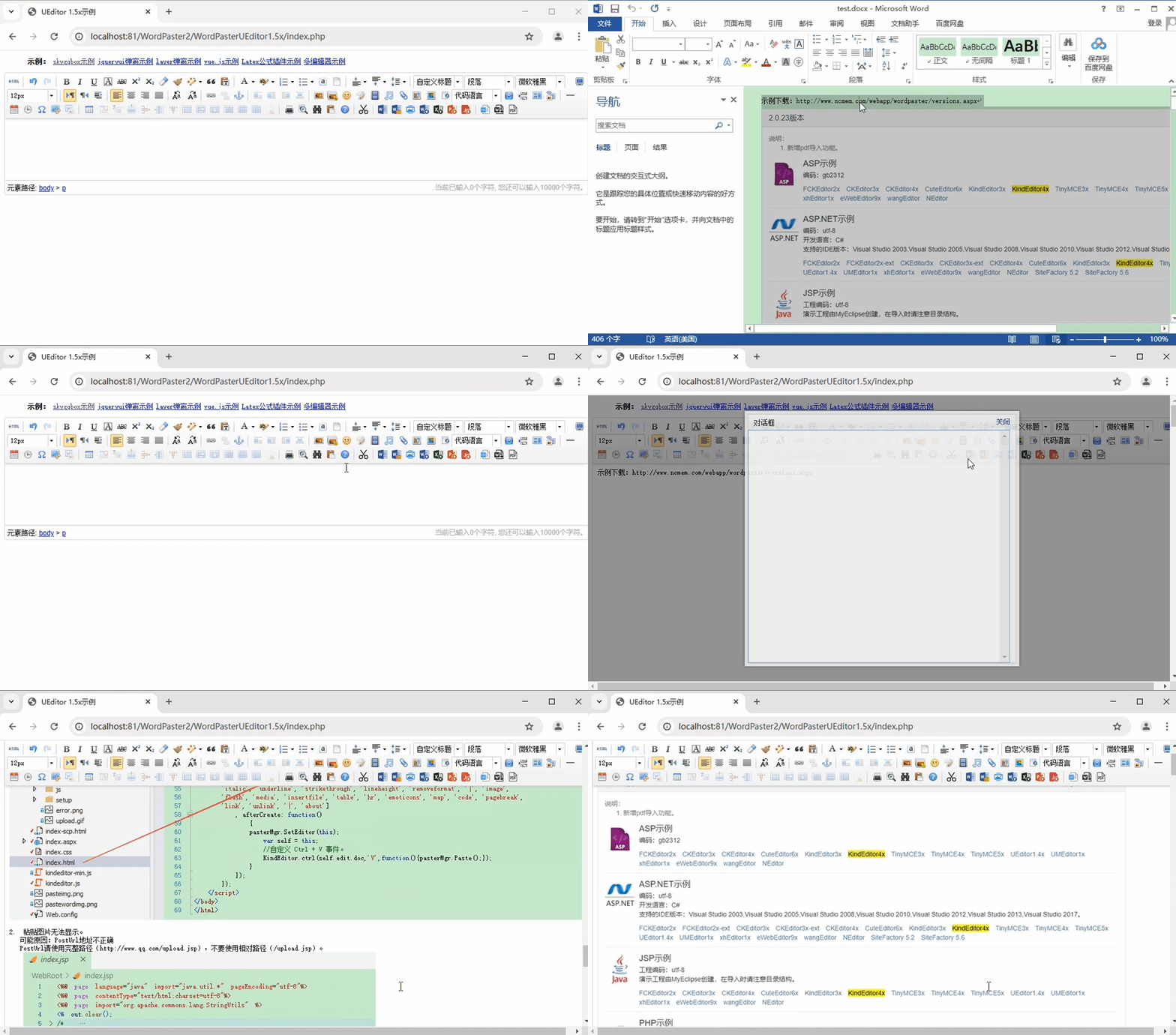
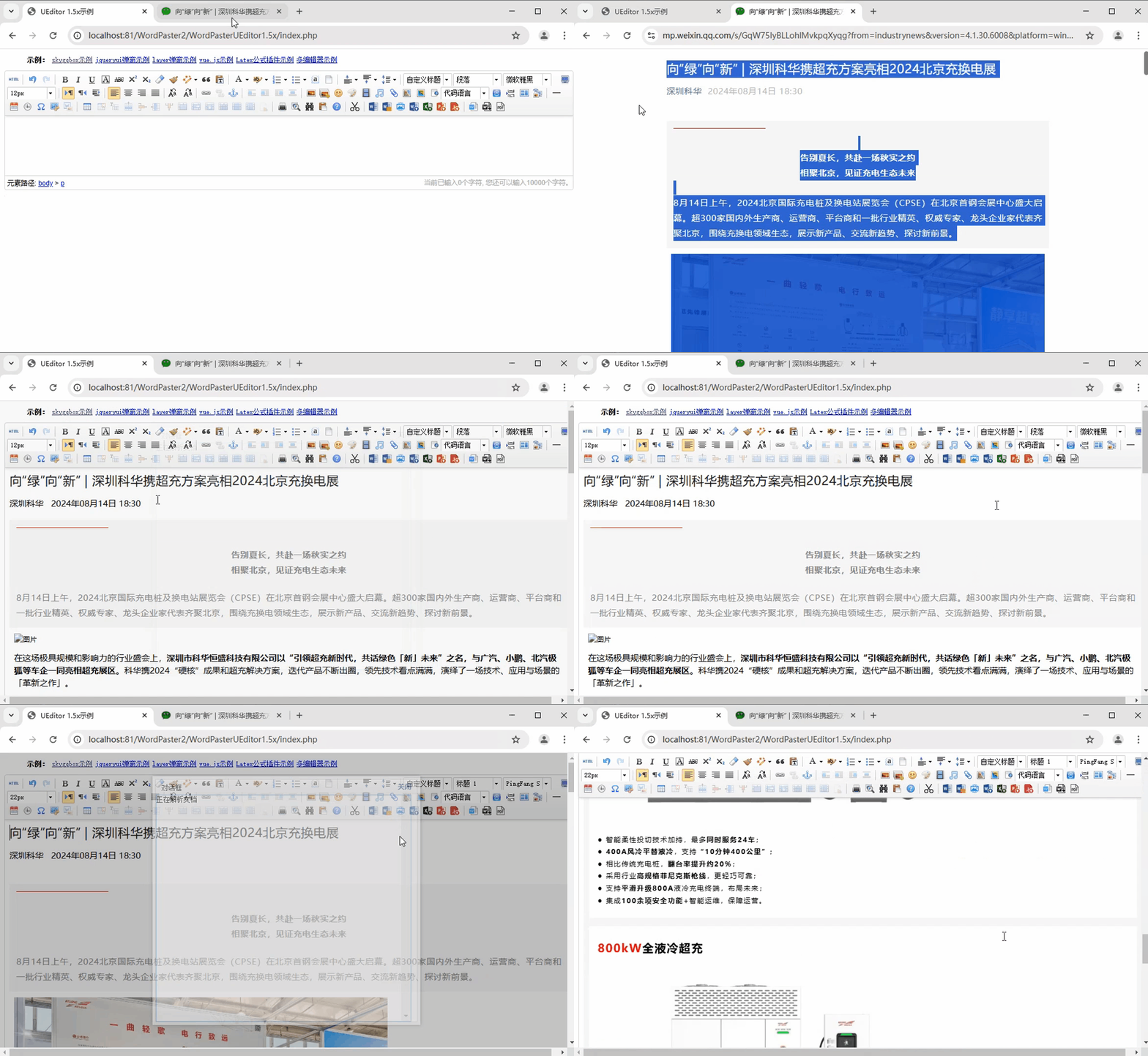
粘贴Word
一键粘贴Word内容,自动上传Word中的图片,保留文字样式。
Word转图片
一键导入Word文件,并将Word文件转换成图片上传到服务器中。

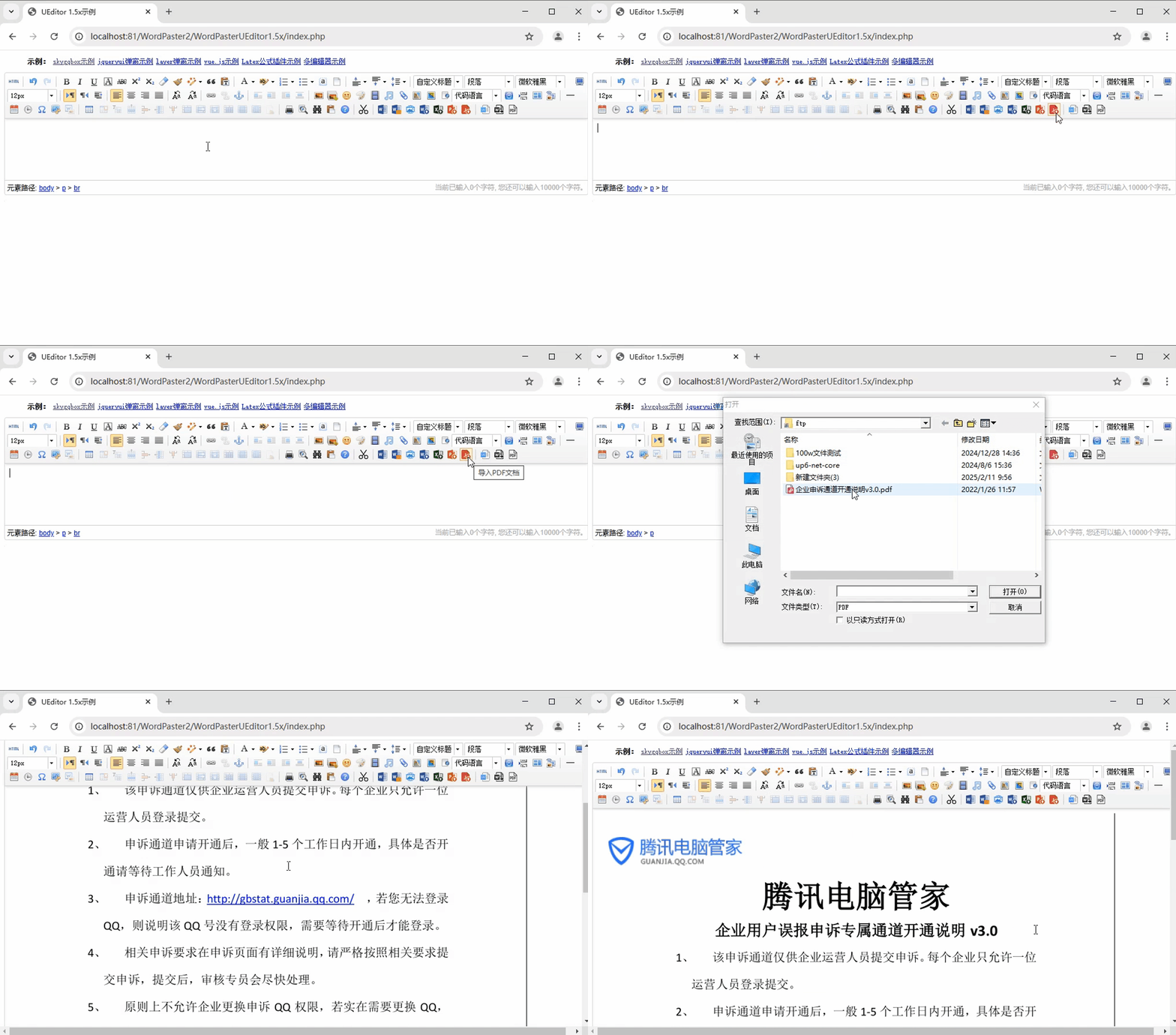
导入PDF
一键导入PDF文件,并将PDF转换成图片上传到服务器中。
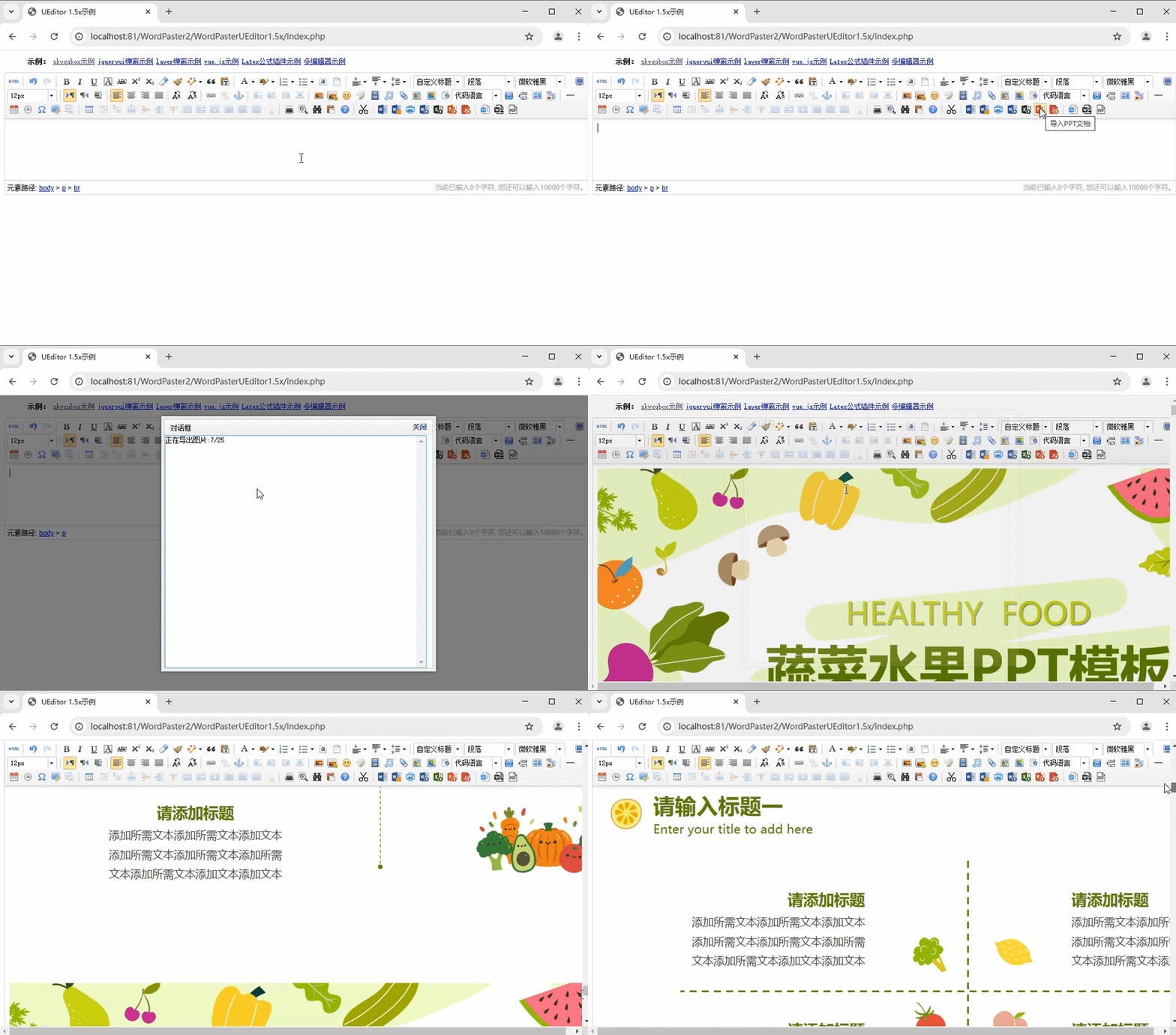
导入PPT
一键导入PPT文件,并将PPT转换成图片上传到服务器中。
上传网络图片
一键自动上传网络图片,自动下载远程服务器图片,自动上传远程服务器图片
下载示例
下载完整示例